Crypto casino guide · eligibility before deposits
Mobile Online Casino in New Zealand: What Changes on a Phone
 Best casinos available in New ZealandUpdated 7 November 2026

A mobile online casino is the same operator, the same contract and the same games as the desktop site, squeezed onto a screen that hides most of the detail. For New Zealand players the useful questions are practical: browser or app, where the terms and game help sit on a phone, how the NZD cashier behaves, and which sites can legally serve New Zealand once the licensing regime starts on 1 December.
Browser, app or home-screen shortcut
There are three ways a casino reaches a phone, and they are often confused in marketing copy. A browser site is the normal website, laid out for a small screen. A native app is installed from an app store or, less safely, from a downloaded file. A home-screen shortcut (sometimes called a web app or PWA) is a browser site saved as an icon; it looks like an app but runs the same web pages.
The games and the account are usually identical across all three. What differs is how you obtain the software, how updates arrive and how much the device itself knows about your session.
| Format | How you get it | Updates | Main thing to check |
|---|---|---|---|
| Browser site | Type or bookmark the domain | Instant, server-side | That the domain is the operator's real one |
| Native app (store) | Apple App Store or Google Play | Through the store | That the developer name matches the operator in the terms |
| Downloaded app file | Direct file from a website | Manual, often unclear | Where the file came from and what permissions it asks for |
| Home-screen shortcut | Saved from the browser menu | Same as browser | That it was saved from the correct domain |
Many casino pages say "download our app" when they mean a shortcut. Read the install step closely: if it asks you to allow installs from unknown sources, it is a direct file, not a store app. Our app and APK safety checks cover what to verify before allowing that.
What a phone screen hides
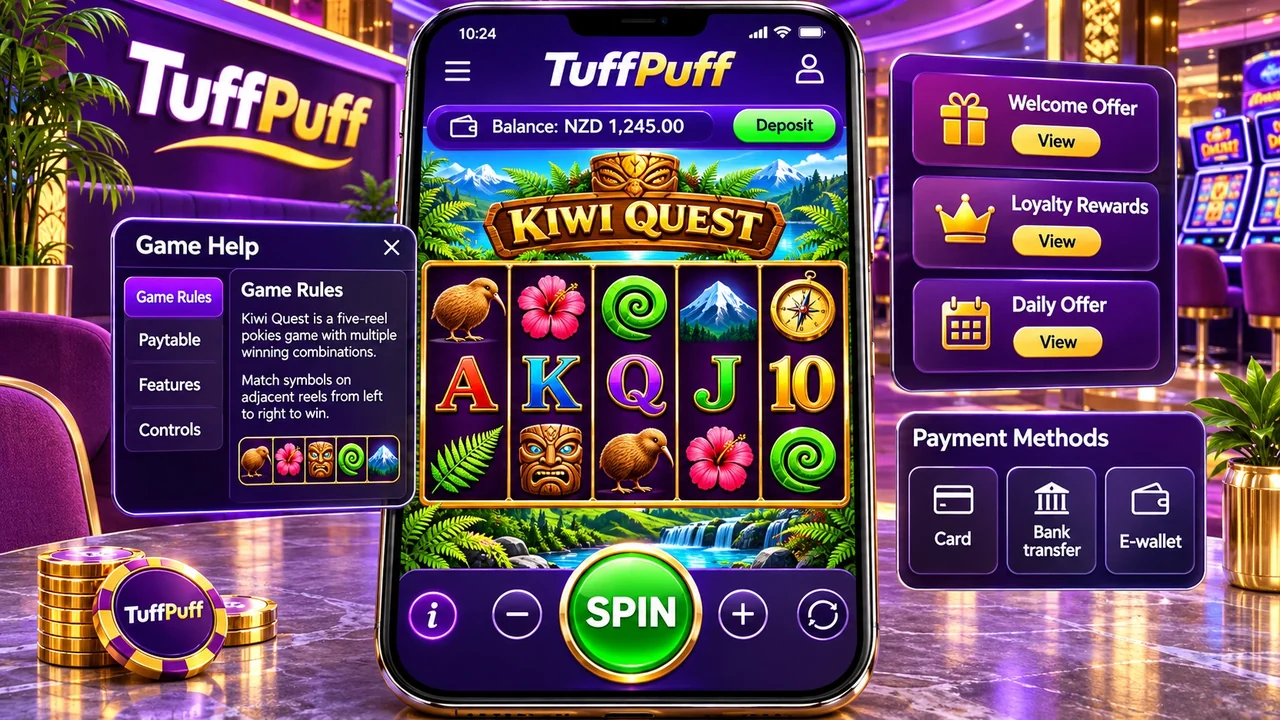
On desktop, the footer links to terms, licence details and responsible gambling sit in plain view. On a phone they move into a collapsed menu or the bottom of a very long page. Players who sign up on mobile are more likely to skip them, which is exactly why they should open them once on purpose.
Terms and country eligibility
Find the general terms and search them for New Zealand, restricted territories and location rules. A mobile site loading on a New Zealand connection does not prove you are allowed to open an account. If a site's terms exclude New Zealand, a phone does not change that.
Game help and RTP
Each pokie has an info or help panel, usually behind a small "i" or a menu icon in the game frame. On a phone the icon is tiny and easy to miss. That panel holds the RTP for the version you are playing, the paytable and the rules for features. One title can run at several RTP settings, so the panel on your screen is the evidence that matters, not a figure on a review site. Our explainer on slot RTP and house edge shows how to read it.
Bonus terms
Promotion pages on mobile often show a banner and a "claim" button, with the full terms behind a separate link. Wagering, eligible games, expiry and maximum bet live there. Open it before claiming, not after.
Checking an app or link before you install
Search on a phone is where most impostor sites catch people. Typing a brand query such as "leovegas online casino" into a mobile browser can return sponsored results and lookalike domains above the real one, and on a small screen the address bar shows only part of the URL. Before entering any details, confirm the full domain against a source you trust. Our LeoVegas New Zealand review records what we could verify about that brand's access and terms; similar evidence pages exist for other operators in our casino directory.
- Open the store listing and compare the developer or seller name with the company named in the casino's terms.
- Read the requested permissions. A casino app has little reason to need contacts, SMS or call logs.
- Check the listing's support and privacy links point to the operator's own domain.
- If the app is offered as a direct download, treat it as unverified until you can match the file to the operator.
- After installing, log in only through the app, not through a link in an email or message.
Store availability also varies by country and changes over time, so a missing listing in the New Zealand store is not proof that an app is fake. It does mean the browser site is the safer route until you can confirm otherwise.
iPhone and Android: the differences that matter
Device brand matters less than people think, because most players end up in the browser either way. The differences show up in three places: how apps are distributed, how the browser handles saved logins and how much control you have over notifications and background activity.
| Point | iPhone (iOS) | Android |
|---|---|---|
| App source | App Store only for most users | Google Play, plus the option to install files from other sources |
| Main risk | Lookalike web shortcuts and phishing links | Unverified app files from websites or messages |
| Default browser | Safari, other browsers available | Chrome on most handsets, others available |
| Per-app limits | Screen Time settings | Digital Wellbeing or the maker's equivalent |
On Android, the setting that allows installs from unknown sources is the one to be careful with. If you turn it on for a single casino file, turn it off again afterwards. On iPhone, the more common trap is a home-screen icon saved from a copied domain; it looks identical to a real shortcut.
Older handsets can struggle with newer games that use heavier graphics. If a pokie stutters or the reels jump, the result is still decided on the server, but a lagging display makes it harder to see what you are betting. Closing other apps or switching to a lighter browser often helps more than changing casino.
The NZD cashier on a mobile online casino
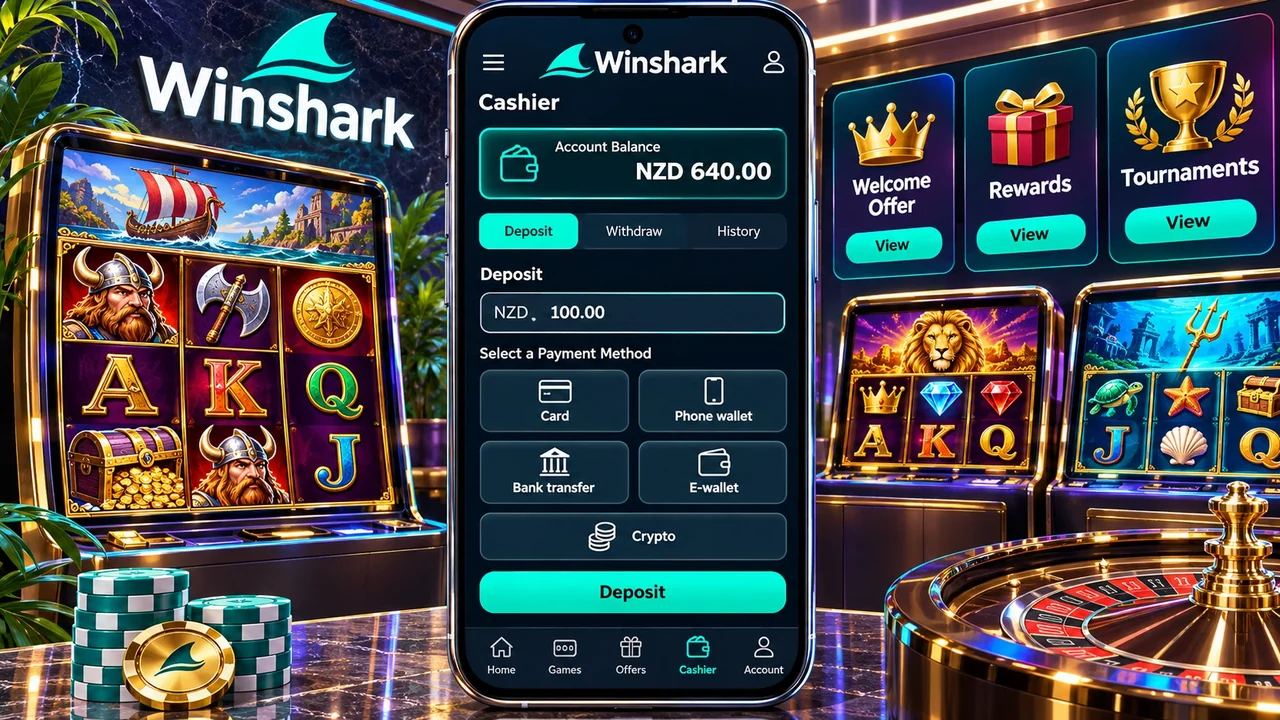
The cashier is where mobile and desktop differ the most. Phone wallets, banking apps and camera-based identity checks make some steps faster; small screens make it easier to pick the wrong option or skip the fee line.
| Route | Why it suits a phone | What to check on a small screen |
|---|---|---|
| Debit or credit card | Card details can be autofilled | That the charge is in NZD, not converted |
| Phone wallet tile | Biometric approval, no typing | Whether the same route can be used to withdraw |
| Bank transfer via banking app | Switch to your bank app to approve | The reference and payee details shown in the cashier |
| E-wallet | Saved login on the phone | Fees on deposit and withdrawal |
| Crypto | Wallet app and QR code | Network, minimum and who pays the network fee |
Account currency matters. If the balance is held in NZD, deposits and payouts avoid a conversion step. If it is held in another currency, your bank or the processor converts twice, once each way. The cashier screen should state the account currency before you confirm.
Identity checks from the camera
Many operators let you photograph your ID and proof of address in the browser or app. It is quick, but check where the upload goes: it should stay inside the logged-in account on the operator's domain, not a link sent by chat or email. Crop images so that only the required details are visible.
Payout timing is not faster on mobile; it depends on the operator's review and the payment rail. Our page on online casino payouts in NZ breaks down where the time goes.
Mobile online casino access after 1 December
New Zealand is moving to a licensed online casino market, with the Department of Internal Affairs (DIA) as regulator and a limited number of licences. From 1 December 2026 the question for any mobile site, browser or app, is whether the operator holds a New Zealand licence. The format of the site makes no difference to that test.
That has two practical effects on a phone. First, an app store listing or a polished mobile site is not evidence of a licence; the licence status must be checked against the regulator's information. Second, sites that cannot serve New Zealand may change their terms, block accounts or close them, so check that withdrawals and balances are handled before relying on a site you have used in the past.
We track which operators are expected to remain on which sites can still serve NZ, and the legal background sits on are online casinos legal in New Zealand. Both pages are updated as the register changes.
Games that work well on a small screen
Most modern games are built for phones first. Some still play better on a larger screen, and a few behave differently on mobile.
Pokies
Many current pokies support portrait mode, with the spin button placed for a thumb. Older titles may only run in landscape. Check that the stake selector is easy to reach: an accidental tap on the maximum bet is a common mobile mistake. Lobby sections labelled "Vegas" or searches for "las vegas casino online" usually lead to Vegas-themed pokies and tables. The theme says nothing about where the operator is licensed or which RTP version you get.
Live dealer tables
Live games stream video, so they use far more data than pokies and are sensitive to a weak signal. On mobile data, a dropped stream can mean a missed betting window. Wi-Fi is the safer choice for live tables, and some apps offer a lower video quality setting.
Table games and crash-style games
Digital blackjack and roulette work well with touch controls, but fast games where you must tap to cash out are where lag hurts. If your connection is unreliable, avoid games where timing decides the result.
When the connection drops mid-round
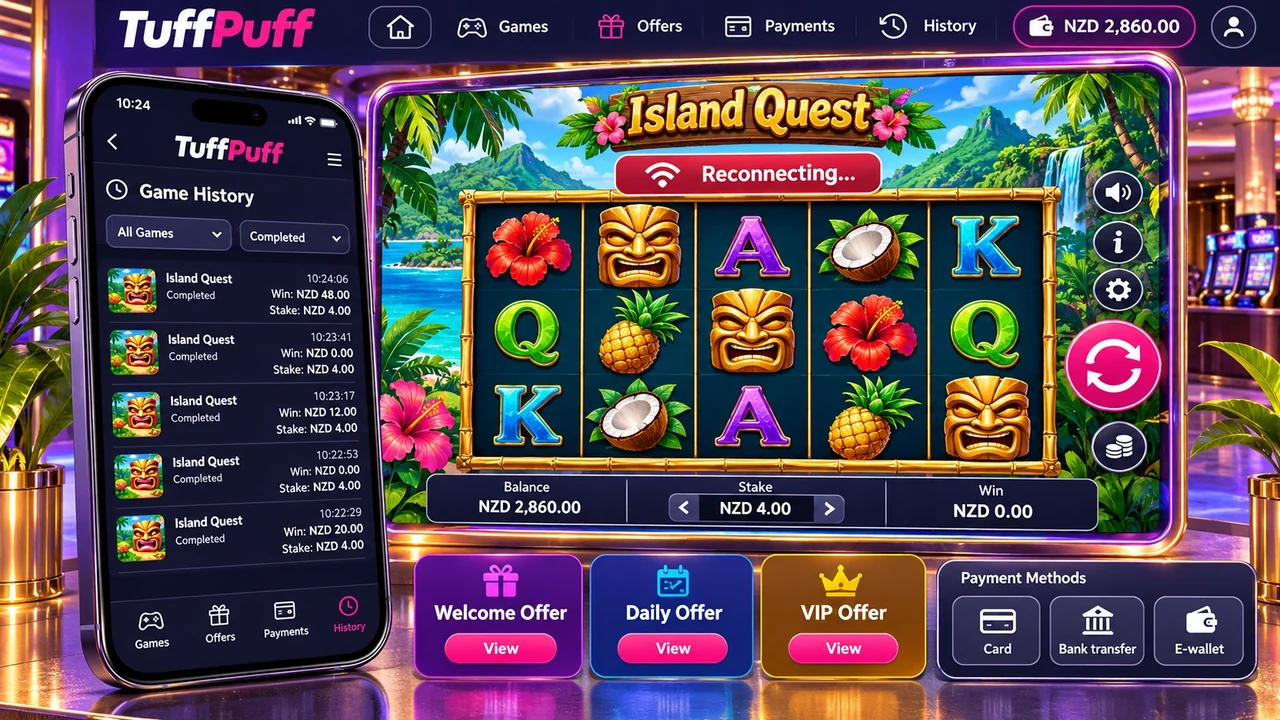
Phones lose signal in lifts, tunnels and between cell towers. For most server-based casino games, the outcome of a round is decided on the game server when you press spin or confirm a bet, not on your phone. If the screen freezes, the result usually still exists and the balance is settled server-side.
- Do not press spin again or open the game in a second tab.
- Reconnect and reopen the same game; many titles resume an unfinished round or feature automatically.
- Check the game history or account transaction history for the round.
- If the balance does not match the history, contact support with the time, game name and screenshot.
Live dealer games handle disconnections under their own rules, which are set out in the game help. Some play your decision as a default action if you do not respond in time. Read that section once before playing live on mobile data.
One habit saves a lot of argument later: take a screenshot of the balance before a long live session or a feature round on mobile data. If something goes wrong, a timestamped image next to the game history makes a support ticket short and specific.
Security on a phone you carry everywhere
A phone is easier to lose, share or leave unlocked than a laptop. A casino account with saved cards and a verified identity is worth protecting properly.
- Use a unique password and turn on two-step verification if the operator offers it.
- Lock the app or browser behind the device's biometric or PIN screen.
- Do not save casino passwords in a shared family device.
- Turn off notification previews that show balances or promotions on the lock screen.
- Log out on shared phones and clear the browser's saved session.
- Install apps and updates only from the official store.
If the phone is lost, change the casino password from another device and ask support to end active sessions. Remove saved payment methods if you cannot confirm the account is secure.
A first-session test on your phone
Before the first deposit, a short test tells you whether a mobile site is worth using. It takes about ten minutes and costs nothing.
- Open the site from a typed or bookmarked address, never from an ad or a message, and check the full domain.
- Find the terms, licence statement and responsible gambling page from the mobile menu. If you cannot find them within a minute, note that.
- Open one pokie in demo mode, if offered, and locate its help panel and RTP.
- Rotate the phone and check the stake control stays readable in both orientations.
- Open the cashier and confirm the account currency is NZD and the withdrawal methods are listed, not just deposits.
- Find the limit settings and the contact page.
Write down what you found with the date. A site that hides its terms, shows only deposit methods or loads its cashier from a different domain has told you something useful without costing a cent. Our criteria for comparing NZ casinos go further if you want to score several sites the same way.
Keeping mobile play in proportion
The phone is always in your pocket, which makes short, unplanned sessions easy. Most operators let you set deposit limits, loss limits and session reminders in the account settings, and on mobile these are often buried two menus deep. Set them on the first visit, before the first deposit, when the decision is calm.
Phone tools help too. Screen-time settings on iOS and Android can limit how long an app or website is used per day. They are not designed for gambling, but they add a useful pause. Our expected-cost calculator shows what a given stake and number of spins is likely to cost over time, which is a sober number to check on any device.
18+. Gamble only with money you can afford to lose; help and support are listed on our responsible gambling page.
Mobile online casino questions from NZ players
Are mobile casinos legal in New Zealand?
The same rules apply on a phone as on a computer. From 1 December 2026 online casinos serving New Zealand need a licence under the new regime overseen by the DIA. Check the operator's licence status, not the app store listing.
Is an app better than playing in the browser?
The games and account are usually the same. A store app can offer faster login and notifications, while the browser needs no install and always runs the current version. Avoid direct-download app files unless you can verify their source.
Can I win real money on a mobile online casino?
Yes, real-money play on a phone uses the same balance and the same game maths as desktop. Winnings are paid through the cashier under the same withdrawal rules and identity checks. Results are random and the house edge applies on every device.
Are there mobile-only bonuses?
Some operators run app-only promotions, but they are less common than general offers. If you see one, read its full terms: wagering and expiry can differ from the main welcome offer.
Why does the mobile site look different from desktop?
Menus collapse and long pages are reorganised to fit the screen. The terms, licence details and game help still exist but sit in menus or footers. Open them once deliberately before depositing.
Can I pay a mobile casino through my phone bill?
Carrier billing for gambling is offered only by some operators and some networks, and it is usually limited to small deposits. It cannot be used to withdraw, so you would still need a card, bank or wallet route for payouts. If the cashier does not list it, assume it is not available rather than trying a third-party service.