Short answer
Verify the path to the software before trusting the icon
Start at the operator's manually entered, exact official domain. Find its current app instructions, confirm the legal operator named in terms, and follow only the destination linked there. The destination should identify the same brand and a publisher that can be connected back to that operator.
Then determine what is actually being offered: a normal website, a progressive web app, a store-distributed native app or a directly downloaded Android package. Each model has a different installation, permission and update trail.
Finally compare package or bundle identity, permissions, signature or store update source, privacy disclosure and recent change history. Stop if the path begins in an advertisement, unsolicited message, QR code or lookalike domain rather than the verified operator site.
This process does not certify an app as safe. It is a provenance checklist: a way to reject weak or inconsistent evidence before credentials, identity documents, wallet addresses or funds are exposed.
Delivery model
Browser, PWA, store app and APK are not interchangeable
A browser site runs at a web origin shown in the address bar. It can request web permissions, store session data and present a login, but it is not automatically installed software. Bookmarking the page does not change the operator or its terms.
A progressive web app, or PWA, is a web application that can be added to the home screen and may open without normal browser chrome. Its icon can look native, yet its trust chain still begins with the web domain, manifest and browser installation prompt.
A store app is distributed through Google Play or Apple's App Store under a named developer account. The store supplies an acquisition record, app identifier, update route, privacy information and platform review controls. Those controls improve traceability but do not guarantee operator eligibility, honest promotion or profitable play.
An Android APK is a package file. It may come from Google Play infrastructure or be sideloaded from another source. A direct APK lacks the ordinary store discovery path, so the exact domain, publisher, package name, signing continuity and update mechanism become particularly important.
First link in the chain
Begin with the legal operator's exact domain
Do not begin with a search advertisement for “casino APK”, an influencer link or a download mirror. Type or retrieve the operator's known domain from a saved, independently verified record, then inspect its current terms and app page.
Check spelling, top-level domain, HTTPS certificate context and redirects. A substituted letter, extra hyphen, misleading subdomain or unrelated shortener can place a convincing copy outside the operator's control.
The domain should explain whether the product is browser-based, a PWA, a store app or a direct package. If a brand's site does not document a native app, a third-party download claiming to be official needs substantially stronger evidence and should not be trusted by default.
Preserve the source URL, access date and destination URL. That record shows how the app was discovered and makes a later change or broken chain visible.
Identity matching
Connect the listing publisher to the contracting operator
A store listing displays a developer or seller name, but the brand in artwork may differ from the legal entity. Compare that name with the entity in the operator's current terms, privacy notice and official app instructions.
A different publisher is not automatically fraudulent; software can be distributed by a documented group company or vendor. The relationship must nevertheless be explained by first-party evidence rather than inferred from a matching logo.
Record the Android package name or Apple bundle/app identifier where the platform exposes it. Identifiers are harder to imitate accidentally than marketing text and help distinguish similarly named apps.
Read developer contact and privacy-policy links. They should resolve to expected domains and describe the same product. A generic free email, unrelated policy or dead support page weakens the provenance chain.
Android evidence
Keep Play Protect and restricted-setting safeguards enabled
Google explains that Play Protect checks apps from Google Play and other sources, can warn about harmful software and may block installations that request sensitive permissions from online sources. A request to disable it is a warning, not a routine casino setup step.
Android also places extra friction around restricted settings for apps from less trusted sources. Do not approve accessibility, notification-listener or other powerful access simply because an installer says it is required. The app should explain a legitimate need that can be independently verified.
For any direct package, record the exact download domain, filename, package identifier, version and published update method. If the operator supplies a checksum or signature fingerprint, compare it using a trusted system tool; do not rely on a hash copied from the same unverified mirror.
Do not enable “install unknown apps” globally or leave it enabled unnecessarily. More importantly, do not sideload to bypass a country restriction, store policy or account rule. Provenance checks cannot turn prohibited access into permitted access.
Apple platform evidence
Use the App Store record and platform controls as evidence, not a guarantee
Apple's App Store record identifies a seller, privacy-policy link, age rating, version history and privacy disclosures. Compare those fields with the official operator domain before installing or entering credentials.
Apple describes code signing, identified developers and sandboxing as parts of its platform security. These controls support app integrity and isolation, but they do not verify a casino's licence claims, New Zealand eligibility or every statement in its promotions.
Privacy labels describe developer-reported data practices. Review data linked to identity, tracking, financial information and diagnostics, then compare the label with permission prompts and the operator's full privacy policy.
If a site asks for an unusual configuration profile, enterprise certificate or device-management enrolment merely to play, stop. That path carries broader device trust implications than installing an ordinary consumer app.
Least privilege
Every permission needs a feature-level explanation
Camera access may support an identity-document capture; notifications may deliver account alerts; photo access may upload a selected file. Even plausible uses should be requested at the relevant moment and limited to the narrowest platform option.
Contacts, call logs, SMS control, device administration, accessibility services, screen overlays or continuous location require much stronger justification. A casino app should not need broad control merely to display games or a cashier.
Compare the operating-system permission page, store privacy disclosure and operator privacy policy. A permission absent from the published explanation is an unresolved inconsistency, not evidence that the device prompt is harmless.
After use, revoke permissions that are no longer needed and review background activity. Permission hygiene reduces exposure but does not cure a false publisher or compromised account.
Continuity evidence
An update should come through the same verified trust path
Store-distributed apps normally update through the same store account and app identifier. Android signing continuity helps the platform recognise that an update belongs to the installed application.
A direct APK updater needs an explicit first-party process. An in-app message that sends users to a new domain, chat attachment or file host breaks the original chain and must be reverified from the operator's independently entered domain.
Record old and new version numbers, publication dates and material permission changes. A new permission after an update deserves the same scrutiny as the initial install.
Do not accept a “mandatory security update” from unsolicited email or messaging. Open the official app or manually entered site separately and see whether the same notice appears.
Impersonation signals
Fake installs often borrow branding while breaking provenance
Own Your Online warns that fake cryptocurrency apps can appear legitimate and steal credentials. Casino branding, screenshots and reviews can likewise be copied; appearance is weak identity evidence.
Warning signs include urgent installation pressure, guaranteed winnings, requests for a seed phrase or private key, payment before download, mismatched developer identity, newly registered domains, disabled platform protections and support that exists only in a direct-message thread.
Ratings and download counts can help triage but are not conclusive. Read critical reviews, dates, developer responses and version history, then return to first-party identity evidence.
A working login is not proof. A phishing app may relay credentials to the real service or display copied account data. Use a password manager's domain matching and platform passkeys or two-factor authentication where the verified operator supports them.
High-value data
Protect credentials, identity files and wallet secrets separately
Never enter a wallet seed phrase or private key into a casino app. Own Your Online advises keeping private keys secret; anyone with that secret may control the assets.
Use a unique password, phishing-resistant authentication where available and a verified support channel. Do not share one-time codes with a person claiming to assist with installation.
Identity documents create a different risk from wallet credentials. Upload them only through a verified, encrypted account route after confirming why they are required, who controls the data and how long it is retained.
Keep only the amount needed for the intended transaction in an exposed operational wallet. This is risk containment, not an assurance that the casino or app is legitimate.
Audit record
Capture enough context to reproduce the check
A useful record contains the official domain, terms entity, country clause, app-link page, destination listing, publisher, package or bundle ID, version, check date and permission list.
For Android direct packages, add the acquisition URL and any independently published signature or checksum evidence. For PWAs, add the web origin and installation prompt. For store apps, preserve the listing and version history.
Separate facts from observations. “The App Store lists seller X” is reproducible; “the app looked safe” is not. “No country restriction found in the reviewed clause” is narrower than “NZ users are accepted”.
Update the record when the publisher, terms, domain, permissions or delivery route changes. Provenance is a current chain, not a permanent badge.
Visual evidence
Use only real, contextual screenshots when pixels are necessary
A screenshot should come from the actual Android, iOS or browser interface being documented. Do not fabricate a permission dialog or redraw a store listing as if it were captured evidence.
Include enough surrounding interface to identify the platform, app, publisher or domain. A tightly cropped green tick or permission label can remove the context needed to evaluate it.
Redact email addresses, account IDs, balances, wallet addresses, QR codes, identity documents and session tokens. Preserve an unedited original securely only if needed for a dispute.
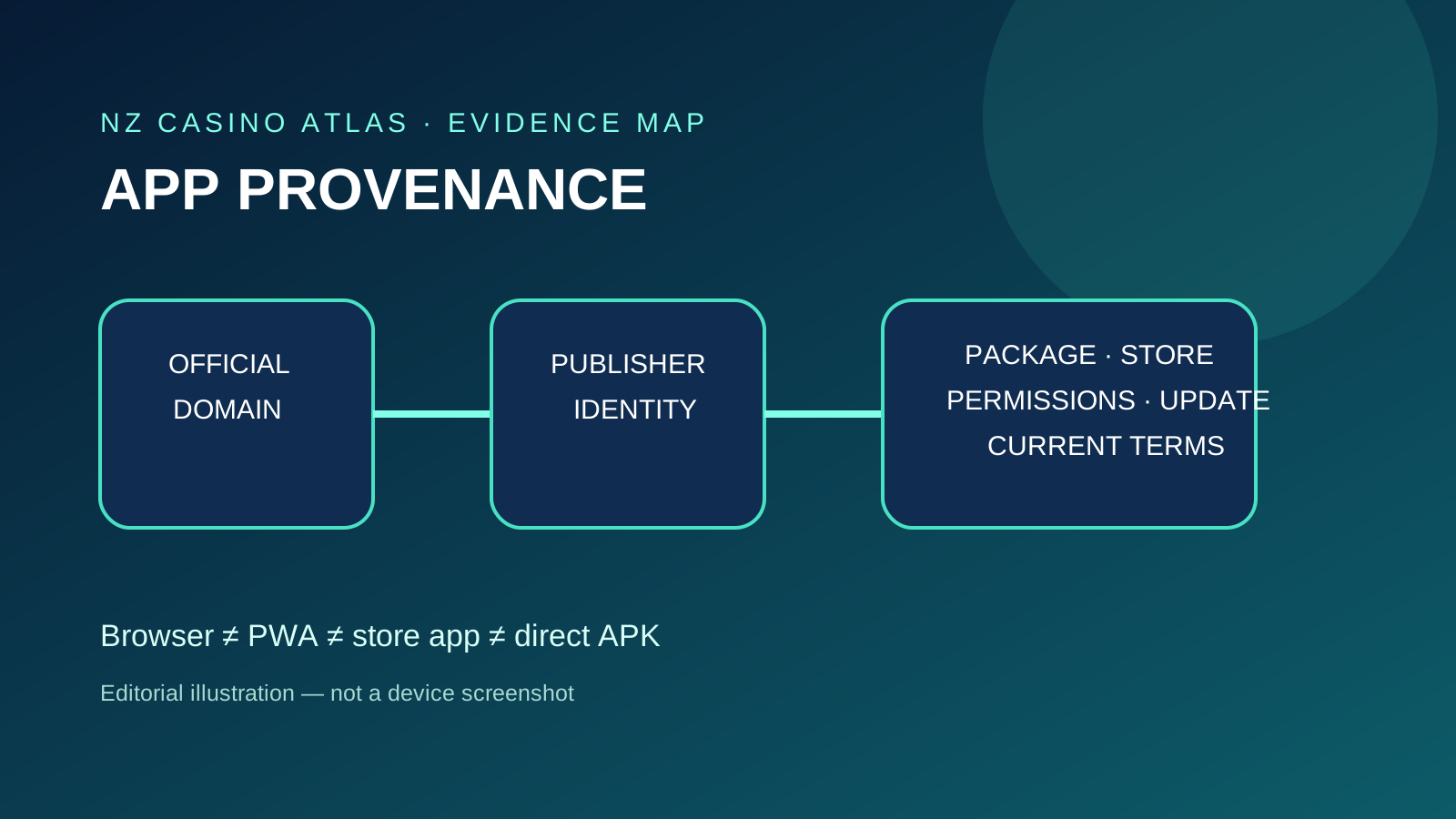
The illustration on this page is an editorial diagram, explicitly not a device screenshot. It explains the evidence chain without pretending to show a tested casino app.
Contract boundary
An official app still does not prove New Zealand eligibility
Software provenance answers who appears to distribute the application. Eligibility answers whether the contracting operator's current terms permit the intended New Zealand user. These are different questions.
Read the restricted-country clause, age requirement, entity and jurisdiction in current terms. Check the authenticated account and cashier without assuming that an NZ flag, NZD option or app-store availability overrides the contract.
The New Zealand crypto-casino evaluation hub maps operator evidence, while the national legal-status guide covers the wider local context. Neither page endorses a brand.
Do not use a VPN, altered location, false residence or sideloaded build to bypass a restriction. If the evidence conflicts, stop and request a written answer through verified support.
Incident response
If provenance fails, stop before trying to repair the app
Disconnect the suspicious workflow, do not open the package again and preserve the source URL, filename, app information and prompts. Do not submit more credentials to “confirm” whether it is real.
From a known-clean device, change affected passwords, revoke active sessions, rotate exposed API keys and contact the verified operator. If a wallet secret was exposed, treat the wallet as compromised and seek qualified guidance for moving remaining assets safely.
Run the operating system's security checks, remove the app through normal system controls and review high-risk permissions. A factory reset or specialist help may be appropriate where device-administration or accessibility access was granted.
Report phishing or harm through relevant New Zealand channels and the platform store. A clear report includes the impersonated brand, package identity, publisher, source URL and timestamps without publishing personal secrets.
Two-minute audit
Crypto casino app and APK checklist
- Enter the exact operator domain independently.
- Read the legal entity and current country restrictions.
- Identify browser, PWA, store app or direct APK.
- Follow only the first-party documented installation path.
- Match publisher or seller to operator evidence.
- Record package or bundle ID and version.
- Keep Play Protect and platform safeguards enabled.
- Reject unexplained restricted settings or powerful permissions.
- Confirm updates use the same trusted route.
- Never disclose a seed phrase, private key or one-time code.
- Compare store privacy information with actual prompts.
- Do not treat availability in a store as NZ eligibility.
- Save contextual evidence and redact personal data.
- Stop when domain, publisher, package or terms conflict.
What this guide does not claim
A checklist cannot certify software or an operator
This site did not install or dynamically analyse a named casino app for this article. It therefore makes no claim about malware scan results, network traffic, cryptographic implementation or a brand's current cashier.
Platform review, developer verification, code signing and sandboxing reduce particular risks; none proves that every business claim is true or every account outcome will be favourable.
Permissions and privacy disclosures can change. Recheck them at installation and after material updates rather than relying on this dated overview.
The safe conclusion when evidence is incomplete is “not verified”, not “safe enough”. Avoiding an uncertain installation is a valid outcome of the process.
Likewise, a clean platform warning screen is not a laboratory security result. This article does not publish antivirus scores, penetration-test findings or network captures because none were performed for a named app. Readers should not reinterpret the absence of an accusation as a security endorsement.
Where an operator offers only browser play, installing a similarly branded native package adds exposure without solving an access problem. Use the delivery model the verified operator actually documents, keep the operating system updated and remove abandoned applications whose publisher or update route can no longer be confirmed.
Questions answered
Frequently asked questions
Is an APK the same as a crypto-casino app from Google Play?
No. APK is an Android package format. A package downloaded outside Google Play has a different acquisition and update chain and needs stronger provenance checks.
Does a home-screen casino icon prove a native app is installed?
No. It may be a browser shortcut or progressive web app. Check the operating-system app information and installation source.
Should I disable Play Protect or restricted-setting warnings to install a casino APK?
No. Do not disable security controls or approve unexplained restricted settings. Stop and verify the official domain and publisher.
Do Apple privacy labels prove an app is risk-free?
No. They disclose developer-reported data practices and support comparison, but do not replace operator, permission, terms and account-security checks.
Does an official app prove the operator accepts New Zealand residents?
No. Software provenance and contractual eligibility are separate. Read current operator terms and restricted-country rules.
Evidence record
Primary sources
Facts and configurations were checked against the following first-party records. A public product page is not proof that a game is available through a New Zealand operator.
- Own Your Online NZ — keeping cryptocurrency secureChecked 7 October 2026
- Google Android Help — restricted settingsChecked 7 October 2026
- Google Android Help — Play ProtectChecked 7 October 2026
- Google Android Help — download apps safelyChecked 7 October 2026
- Apple Support NZ — App Store privacy informationChecked 7 October 2026
- Apple Platform Security — app security in iOS and iPadOSChecked 7 October 2026